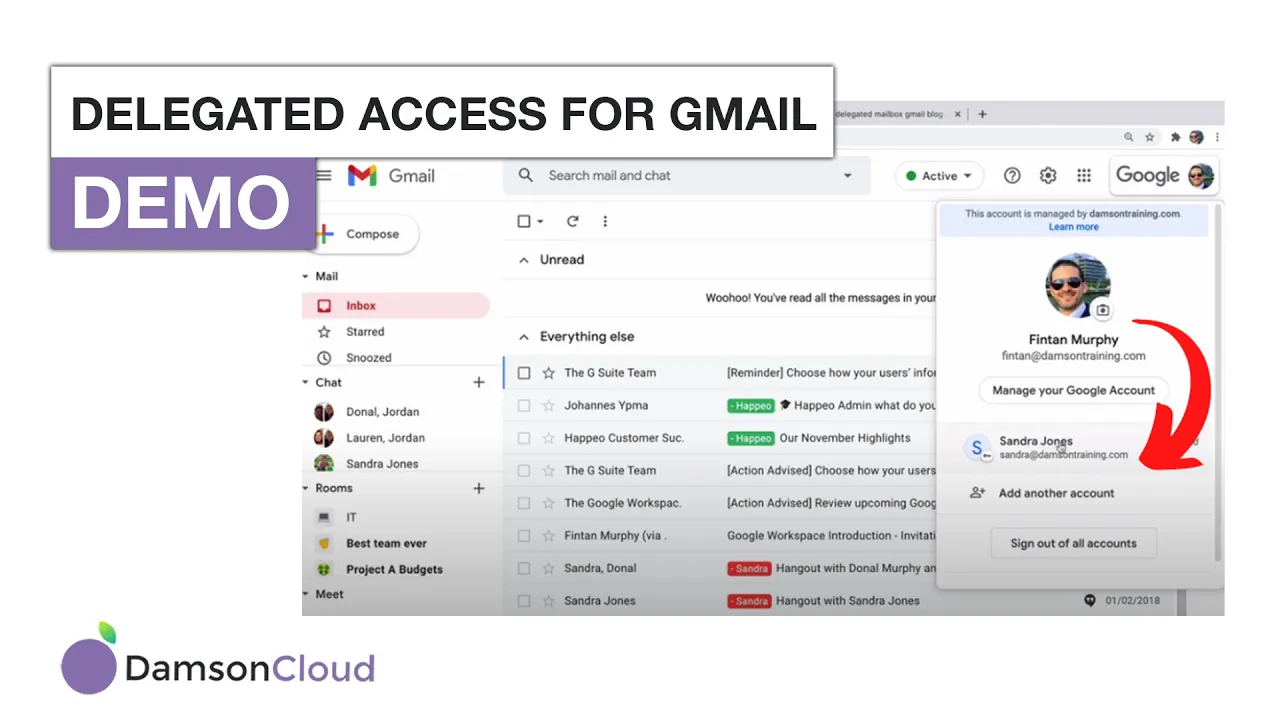
Delegated Mailboxes in Gmail: A Comprehensive Guide
Delegated mailboxes are a powerful tool that can help businesses manage their email more efficiently. In this article, we'll cover everything you need to know about delegated mailboxes in Gmail, including recent updates, how to set them up, and common use cases.
What are Delegated Mailboxes?
A delegated mailbox is a mailbox that you've given access to another user. This is useful for shared inboxes, such as accounts, support, or sales. With delegated access, multiple users can access the same mailbox, making it easier to manage and respond to emails.
Recent Updates
Google recently updated the number of users that can concurrently access a delegated mailbox, as well as the number of configured accounts. Previously, only 25 accounts could be set up on a delegated mailbox, but that number has now been increased to 40 concurrent users. You can configure up to 1000 people for the mailbox, but only 40 can access it at the same time.
How to Set Up Delegated Mailboxes
Setting up delegated mailboxes is easy. First, go to your Gmail settings and click on "Accounts." From there, you can add another account and grant access to your account. This will send an email to the user you want to give access to, and all they have to do is click and accept the invitation.
Common Use Cases
Delegated mailboxes are useful for a variety of use cases, including:
- Accounts: Multiple users can access the same accounts mailbox, making it easier to manage invoices, payments, and other financial information.
- Support: A support mailbox can be delegated to multiple users, making it easier to manage customer inquiries and support tickets.
- Sales: A sales mailbox can be delegated to multiple users, making it easier to manage leads and sales inquiries.
Pros and Cons
Pros:
- Multiple users can access the same mailbox, making it easier to manage and respond to emails.
- Delegated mailboxes can be set up quickly and easily.
- Delegated mailboxes can be useful for a variety of use cases, including accounts, support, and sales.
Cons:
- Delegated mailboxes can be difficult to manage if there are too many users accessing the same mailbox.
- Delegated mailboxes can be prone to errors if multiple users are responding to the same email.
Highlights
- Delegated mailboxes are a powerful tool for managing email in a business setting.
- Recent updates have increased the number of users that can access a delegated mailbox.
- Setting up delegated mailboxes is easy and can be done through Gmail settings.
- Delegated mailboxes are useful for a variety of use cases, including accounts, support, and sales.
FAQ
Q: How many users can access a delegated mailbox at the same time?
A: Up to 40 users can access a delegated mailbox at the same time.
Q: Can I configure more than 1000 people for a delegated mailbox?
A: Yes, you can configure up to 1000 people for a delegated mailbox, but only 40 can access it at the same time.
Q: What are some common use cases for delegated mailboxes?
A: Delegated mailboxes are useful for accounts, support, sales, and other shared inboxes.
Q: Are there any downsides to using delegated mailboxes?
A: Delegated mailboxes can be difficult to manage if there are too many users accessing the same mailbox, and they can be prone to errors if multiple users are responding to the same email.
Resources:
- [Google's recent update on delegated mailboxes](https://support.google.com/a/answer/9335564?hl=en)


